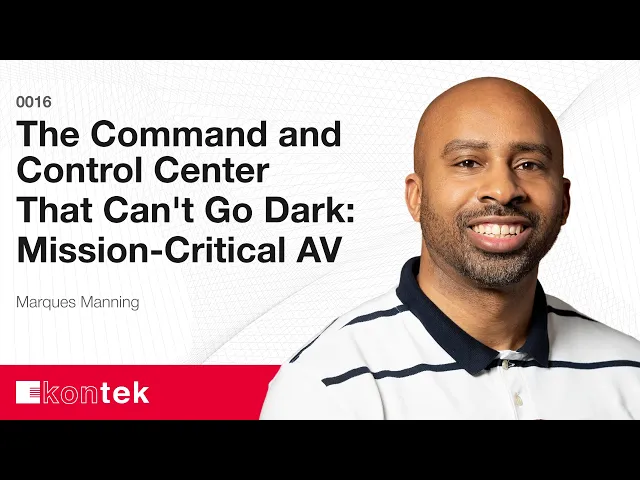
Designing AV That Never Sleeps
What Actually Makes a Command Center Different
Command and control environments — 911 dispatch floors, emergency operations centers, network operating centers — look, at a glance, like any other room full of screens. What separates them is that they never stop. “People say twenty-four/seven, they think casually about it sometimes,” says Marques Manning. “No, they’re legit twenty-four/seven. One crew comes in, one crew goes out.”
That distinction drives everything downstream. A classroom or a corporate huddle space might see eight hours of use a day, and often less. Hardware specified for that duty cycle simply isn’t rated for continuous operation. The second difference is signal density: a typical meeting room is one source feeding many displays, maybe two. In a command center, any workstation may need to be viewed at any moment, alongside live camera feeds, radio traffic, and monitoring systems all running at once.
Redundancy Is the Baseline, Not an Upgrade
Kontek recommends uninterruptible power on every system it installs, but in command and control it becomes non-negotiable. The reasoning is simple: AV is a collection of purpose-built computers, and a hard power loss can leave a device unable to come back — or unable to come back in the correct order, which matters more than most people expect. A UPS covers the milliseconds between a power event and a generator picking up, and keeps voltage clean through the transition.
Power is only the starting point. These sites also keep hot-swappable spares on hand for displays, encoders, and decoders, because waiting a week for a replacement part isn’t an acceptable answer at one in the morning. Control code, DSP files, and firmware are versioned and backed up off-site as well — a necessity in secure facilities where systems are deliberately segregated from any outside network and cloud backup isn’t an option.
Design Around the Operator, Not the Equipment List
Physical layout decides whether a system works. A thirty-foot video wall raises an obvious question that often goes unasked: can someone seated at the far left actually read what’s on the far right? Display size, mounting height, and brightness all follow from where people sit and what they need to see. A dark monitoring room doesn’t need a thousand nits of brightness — that just causes fatigue.
Cognitive load matters just as much. During a hurricane, an operator shouldn’t be navigating menus to get a feed on screen. “I don’t wanna have to hit four buttons to get this on screen,” Manning says — two or three presses at most, or better, a single emergency preset that sets displays, sources, and audio levels in one action. The test he applies is blunt: if it takes a five-page manual to operate the system, the design has already failed.
Get the Right People in the Room, and the Budget in the Right Order
IT comes first — they define what can touch the network and what can’t. But the operators and the room’s manager are equally essential, because they’re the only people who can explain how the space actually runs day to day: which feeds they watch, what they need to hear, how routing should behave. Facilities and construction round out the group on new builds. Bringing IT in late usually means reworking networks or reassigning addresses, which is wasted effort.
The budget conversation is where Manning sees projects go wrong most often. Arriving with a number chosen before anyone has scoped the work almost guarantees a problem, whether that number is high or low. The better sequence is a feasibility study — even a rough one — that captures the vision first and lets cost follow from it. When someone quotes a budget up front, his first question is how they arrived at it. If it came from a study, good. If it was a guess, the mismatch is worth surfacing early rather than at sticker-shock time.
Mission-Critical Means Commercial-Grade
The most common objection Manning hears is that the same display is available down the street for $1,500. His answer is direct: it isn’t the same. It looks identical on the outside, but the internals aren’t, and consumer equipment run 15, 18, or 24 hours a day fails sooner because it was never rated for that.
The same caution applies to being early on new technology. Kontek follows what’s coming, but a mission-critical room is not the place to test it. “You want something that is robust, it’s technologically sound, and it’s gotta be bulletproof,” Manning says. “You’ve gotta know that when you’re putting it together, it is going to work every single day.” If a space is genuinely critical, both the budget and the mindset have to reflect it.
Podcast Chapters
Chapters
(00:00) Defining Mission-Critical Command and Control Centers
(02:00) Distinguishing 24/7 Operations from Traditional Spaces
(04:45) Designing for Redundancy and System Reliability
(08:30) Prioritizing Operator Performance and Physical Layout
(12:20) Reducing Cognitive Load for Decision-Making
(14:27) Involving Key Stakeholders Early in the Process
(20:47) Common Mistakes and the Importance of Proper Budgeting
(29:53) Why Commercial-Grade Matters for Critical Spaces
Related Questions
What is a command and control center, and how is its AV different?
Command and control centers include 911 dispatch floors, emergency operations centers, and network operating centers — spaces that monitor live feeds, camera systems, and radio traffic continuously. Two things separate their AV from a classroom or conference room: they genuinely run twenty-four hours a day, seven days a week, so hardware has to be rated for continuous duty; and any workstation may need to be displayed at any moment, rather than the single-source-to-many-displays pattern of a typical meeting space.
Why is redundancy treated as mandatory rather than optional?
Because a failure at 1:00 a.m. can’t wait a week for a replacement part. Every system runs on an uninterruptible power supply so a power event doesn’t leave equipment unable to restart, or restarting out of order. Beyond power, hot-swappable spares are stocked for displays, encoders, and decoders, and all control code, DSP files, and firmware are versioned and backed up — including for secure sites that can’t use cloud backup.
How does AV design affect operator performance?
Layout determines whether operators can see what they need. Display size, height, and brightness are chosen from seating positions and sightlines — a thirty-foot wall is useless if someone at one end can’t read the other, and a dark room doesn’t need maximum brightness. Reducing the number of actions needed to get content on screen matters just as much; presets that set displays, sources, and audio in a single press keep attention on the decision rather than the interface.
Who should be involved when planning a command center AV project?
IT first, to establish network rules and restrictions before anything is designed. Then the room’s manager and the operators themselves, since they’re the only ones who can describe the daily workflow, the feeds being monitored, and how routing needs to behave. Facilities and construction stakeholders join for new builds or renovations. Bringing IT in late usually means reworking networks or reassigning IP addresses.
How should budgeting work for a mission-critical AV project?
Scope first, budget second. Setting a number before the work is understood almost guarantees a problem, whether that number is too high or too low. A feasibility study — even a rough order-of-magnitude estimate from a partner — captures the vision and the physical constraints, then lets cost follow. From there you can separate needs from wants. And because mission-critical implies commercial-grade rather than consumer equipment, the budget has to reflect that standard from the start.
Relevant IndustRIes:
Related Services:


Let’s build your dream AV project together.
Strategic, precise guidance to turn communication goals into systems that perform where it matters most.
